Menu Adv
Node Introduction
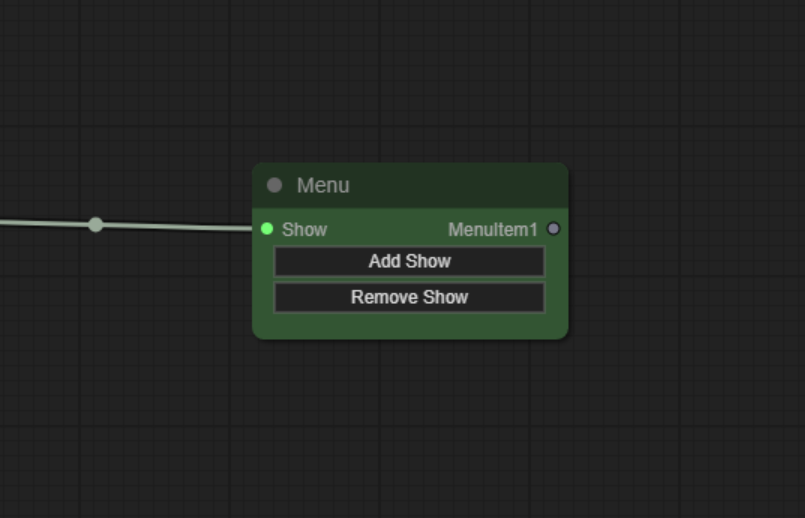
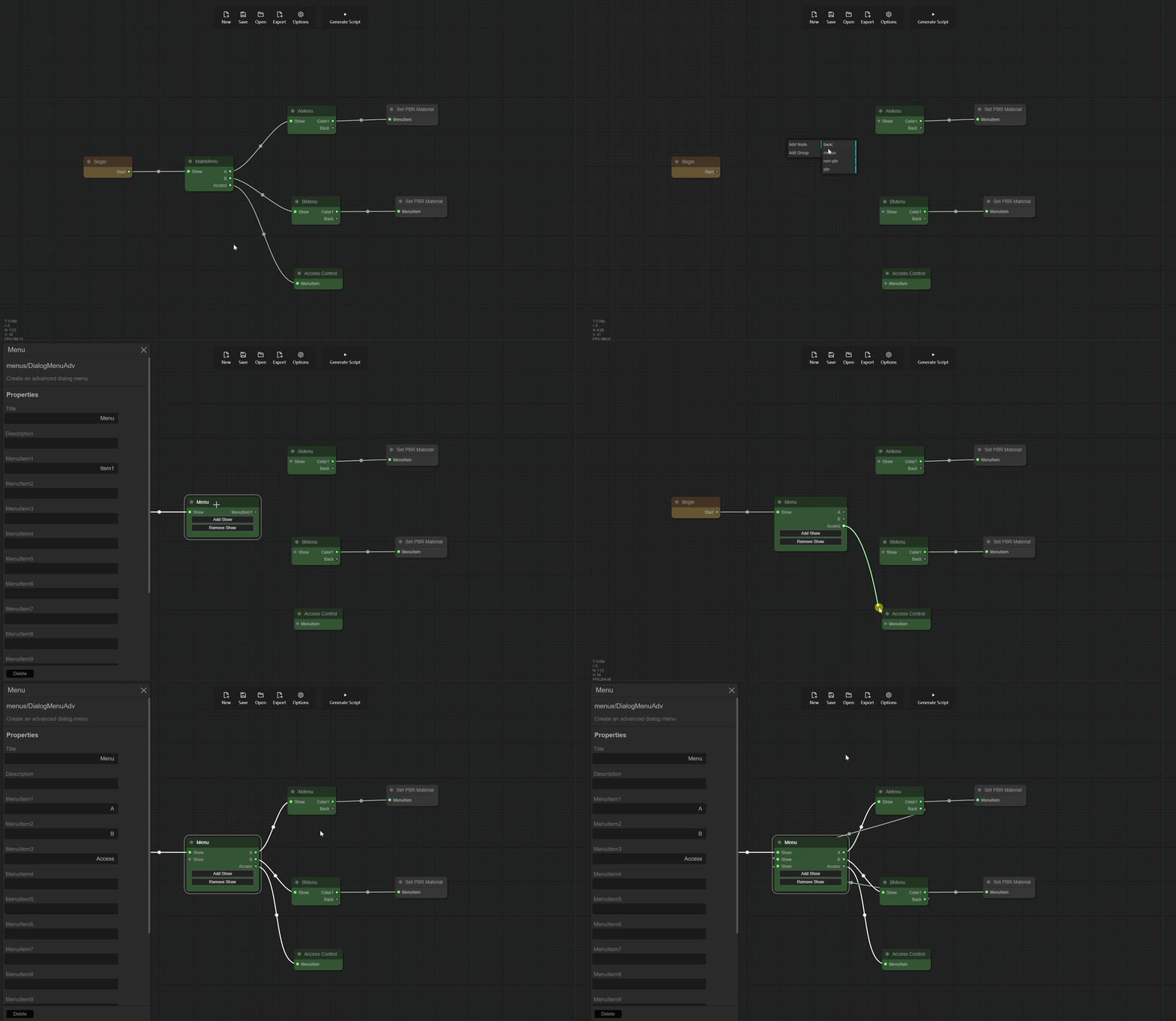
This node is an enhanced version of the Menu node, which allows for additional Show inputs. This means you can directly connect from other menu items to this menu node without needing a ToMenu node, although it increases visual complexity. If you are familiar with EZMenu, you can use this node.
Example
Inputs
- Show - Show the menu.
Outputs
- MenuItem1…12 - Menu items.
Control Inputs
- Add Show - Add a Show input, allowing direct connection from other menu items to this menu node.
- Remove Show - Remove a Show input. However, at least one Show input must remain.
Node Properties
In the menu node, we can set the menu’s name, description, and menu items, and define the functionality of each menu item by connecting them to the next node. In the menu node, we can set the following properties:
- Title - (Refer to Begin Node Properties)
- Description - This is the description of the menu, which will be displayed in Second Life to help users better understand the menu. You can describe the menu’s functionality or other information here.
- MenuItem1…12 - These are the menu items of this menu. You can add up to 12 menu items here. Each menu item can connect to the next node, forming a complete logical flow.