Set PBR Tint
Node Introduction
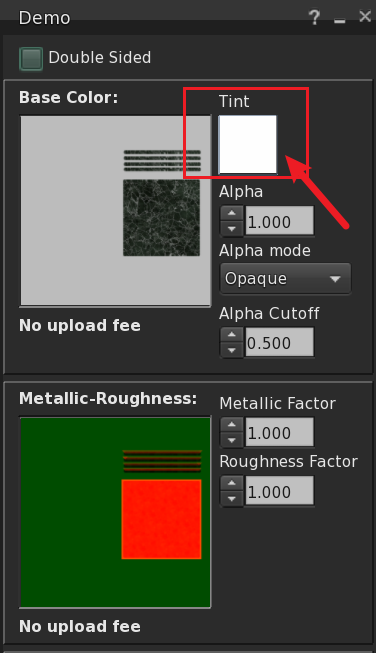
This node is used to set the color of the model’s material texture. Through this node, we can replace the color of an existing material on the model, including Base Color and Emissive. For example, if your material already has parameters such as Base Color, Normal, (O)RM, etc., but you only want to change the Base Color without altering the entire material’s colors and parameters, this node helps you control the material’s color settings more precisely.
Inputs
- MenuItem - Menu item.
Outputs
- None
Node Properties
- PrimTag -
The unique identifier for this object is
PrimTag. When a model is composed of multiple linked prims, each prim's description must include a PrimTag formatted asez:xxxxx;(starting withez:and ending with;), enabling scripts to accurately locate target prims for operations. This field may be left empty for single-prim models. - Face - specified face. Select a face from the dropdown list.
-
TextureType - Texture type. You can choose from the following two texture types:
- Base Color - Base color texture.
- Emissive - Emissive texture.
-
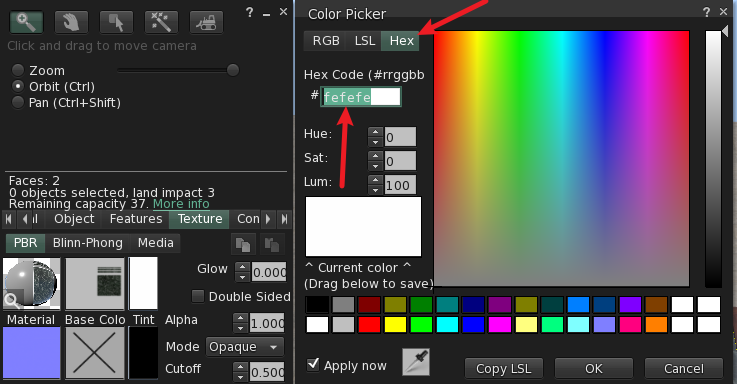
TintColor - Color. Data type:
hex, format example:FFFFFF. This can be obtained from Second Life as shown below.
Corresponding Relationship